Bootstrap 3 Tutorial
BS Media Objects
Media Objects
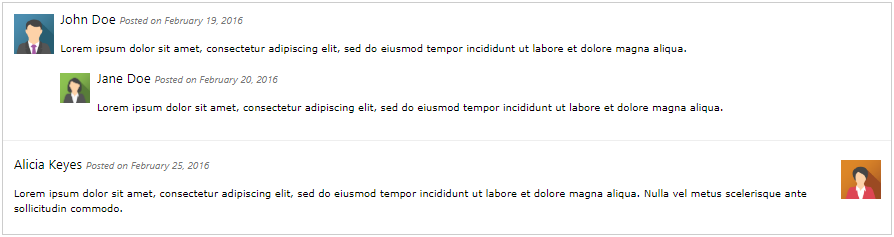
Bootstrap allows you to easily align media assets (such as photos or videos) to the left or right of some content. This can be used to show blog comments, tweets, and so on.
Basic Media Object

Example
					<!-- Left-aligned -->
<div class="media">
  <div class="media-left">
    <img decoding="async" src="data:image/svg+xml,%3Csvg%20xmlns='http://www.w3.org/2000/svg'%20viewBox='0%200%200%200'%3E%3C/svg%3E" class="media-object" style="width:60px" alt="BS Media Objects -" title="BS Media Objects 3" data-lazy-src="img_avatar1.png"><noscript><img decoding="async" src="img_avatar1.png" class="media-object" style="width:60px" alt="BS Media Objects -" title="BS Media Objects 3"></noscript>
  </div>
  <div class="media-body">
    <h4 class="media-heading">John Doe</h4>
    <p>Lorem ipsum...</p>
  </div>
</div>

<!-- Right-aligned -->
<div class="media">
  <div class="media-body">
    <h4 class="media-heading">John Doe</h4>
    <p>Lorem ipsum dolor sit amet, consectetur adipiscing elit, sed do eiusmod tempor incididunt ut labore et dolore magna aliqua.</p>
  </div>
  <div class="media-right">
    <img decoding="async" src="data:image/svg+xml,%3Csvg%20xmlns='http://www.w3.org/2000/svg'%20viewBox='0%200%200%200'%3E%3C/svg%3E" class="media-object" style="width:60px" alt="BS Media Objects -" title="BS Media Objects 3" data-lazy-src="img_avatar1.png"><noscript><img decoding="async" src="img_avatar1.png" class="media-object" style="width:60px" alt="BS Media Objects -" title="BS Media Objects 3"></noscript>
  </div>
</div>
Example explained
To build a container for media assets, add a <div> element with the .media class.
The .media-left class aligns the media object (picture) to the left, while the .media-right class aligns it to the right.
The text that should show next to the image is inserted inside a container with class=”media-body“.
In addition, you can use .media-heading for headings.
Top, Middle or Bottom Alignment
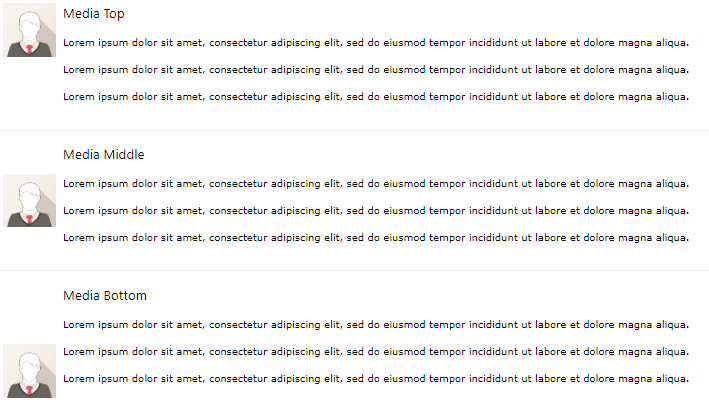
The media object can also be top, middle, or bottom oriented, using the media-top, media-middle, or media-bottom classes:
Example
					<!-- Media top -->
<div class="media">
  <div class="media-left media-top">
    <img decoding="async" src="data:image/svg+xml,%3Csvg%20xmlns='http://www.w3.org/2000/svg'%20viewBox='0%200%200%200'%3E%3C/svg%3E" class="media-object" style="width:60px" alt="BS Media Objects -" title="BS Media Objects 3" data-lazy-src="img_avatar1.png"><noscript><img decoding="async" src="img_avatar1.png" class="media-object" style="width:60px" alt="BS Media Objects -" title="BS Media Objects 3"></noscript>
  </div>
  <div class="media-body">
    <h4 class="media-heading">Media Top</h4>
    <p>Lorem ipsum...</p>
  </div>
</div>

<!-- Media middle -->
<div class="media">
  <div class="media-left media-middle">
    <img decoding="async" src="data:image/svg+xml,%3Csvg%20xmlns='http://www.w3.org/2000/svg'%20viewBox='0%200%200%200'%3E%3C/svg%3E" class="media-object" style="width:60px" alt="BS Media Objects -" title="BS Media Objects 3" data-lazy-src="img_avatar1.png"><noscript><img decoding="async" src="img_avatar1.png" class="media-object" style="width:60px" alt="BS Media Objects -" title="BS Media Objects 3"></noscript>
  </div>
  <div class="media-body">
    <h4 class="media-heading">Media Middle</h4>
    <p>Lorem ipsum...</p>
  </div>
</div>

<!-- Media bottom -->
<div class="media">
  <div class="media-left media-bottom">
    <img decoding="async" src="data:image/svg+xml,%3Csvg%20xmlns='http://www.w3.org/2000/svg'%20viewBox='0%200%200%200'%3E%3C/svg%3E" class="media-object" style="width:60px" alt="BS Media Objects -" title="BS Media Objects 3" data-lazy-src="img_avatar1.png"><noscript><img decoding="async" src="img_avatar1.png" class="media-object" style="width:60px" alt="BS Media Objects -" title="BS Media Objects 3"></noscript>
  </div>
  <div class="media-body">
    <h4 class="media-heading">Media Bottom</h4>
    <p>Lorem ipsum...</p>
  </div>
</div>
Nesting Media Objects
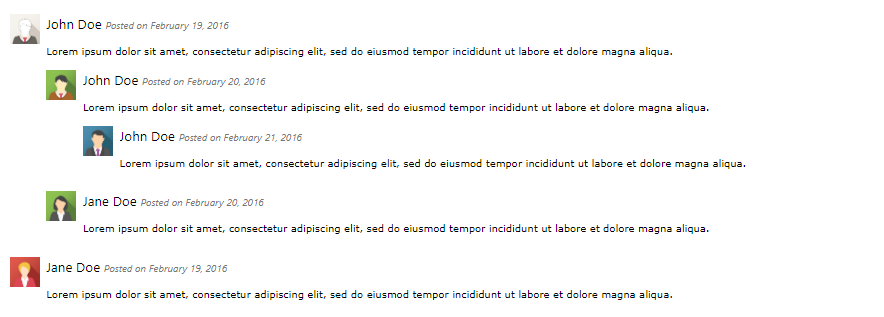
Media objects can also be nested.
Example

Another Example of Nesting
Example