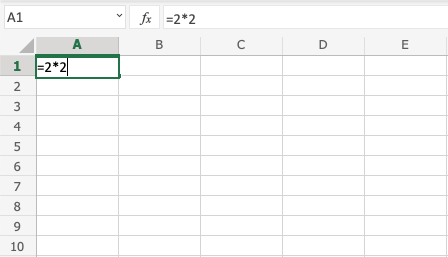
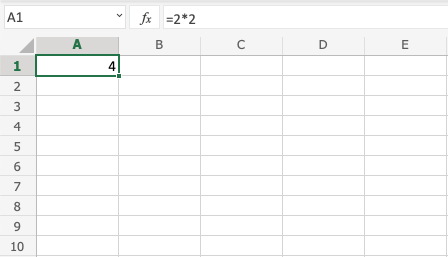
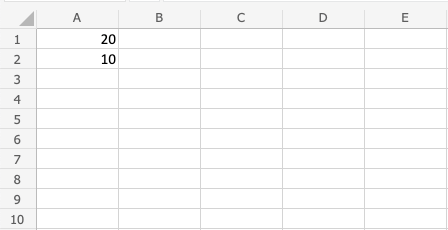
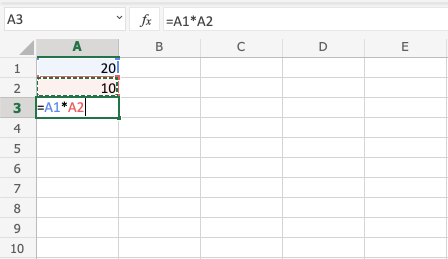
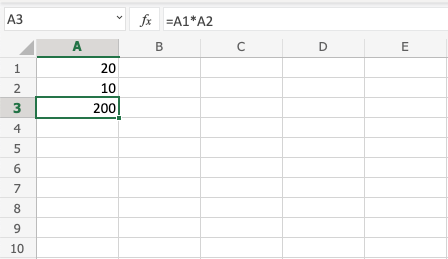
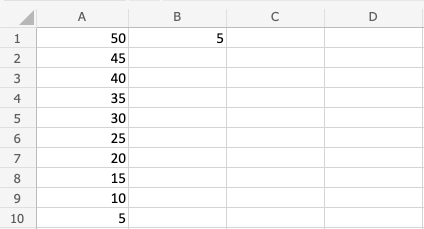
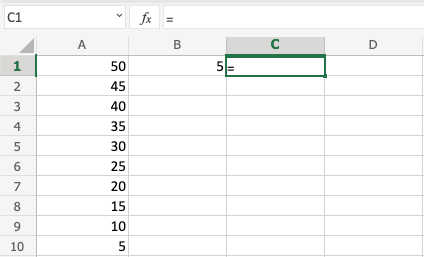
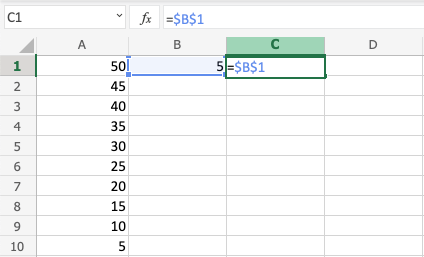
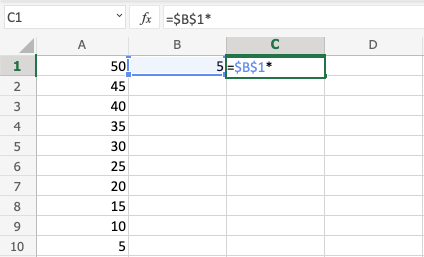
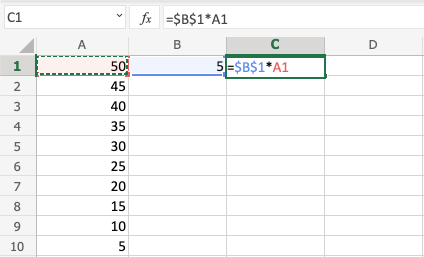
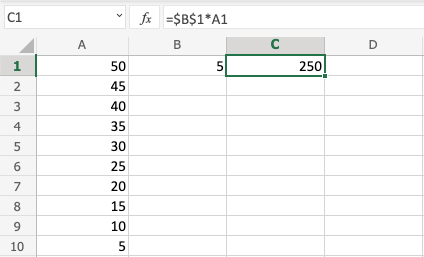
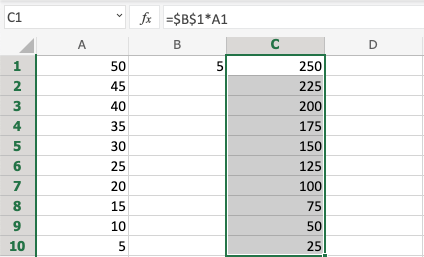
Excel Addition Operators Excel Multiplication Multiplication Operator Multiplication uses the * symbol in Excel.How to multiply cells:Select a cell and type (=)Select a cellType (*)Select another cellHit enterBy entering a (*) in between the cells, you can add extra cells to the formula.Let’s examine a few instances. Multiplying Manual Entries First, let’s include a formula. Take a blank sheet and start.Step by step:Type A1(=)Type 2*2Hit enter Multiplying Two Cells Let’s expand our working set of numbers. Enter the values listed below: Step by step:Type A3(=)Select A1Type (*)Select A2Hit enter Multiplying Using Absolute Reference A cell can be multiplied with other cells while it is locked.How to proceed, in detail:Select a cell and type (=)Select the cell you want to lock and add two dollar signs ($) before the column and rowType (*)Select another cellHit enterFill the rangeLet’s see an example in which the fill function and absolute reference are used to multiply B(5) with the range A1:A10.Enter the values: Step by step:Type C1(=)Select B1 type dollar sign before column and row $B$1Type (*)Select A1Hit enterFill C1:C10 You understand! You have successfully multiplied B1(5) by the range A1:A10 using absolute reference.