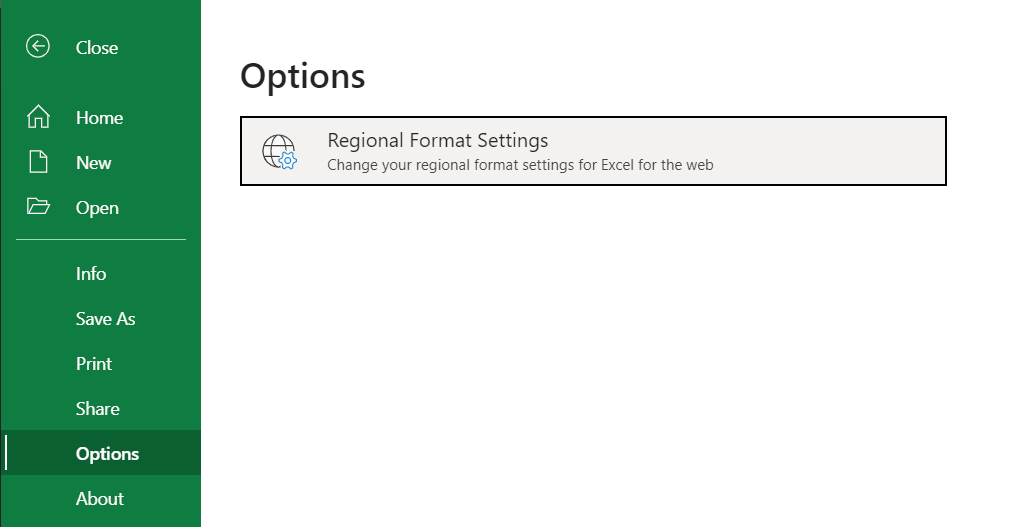
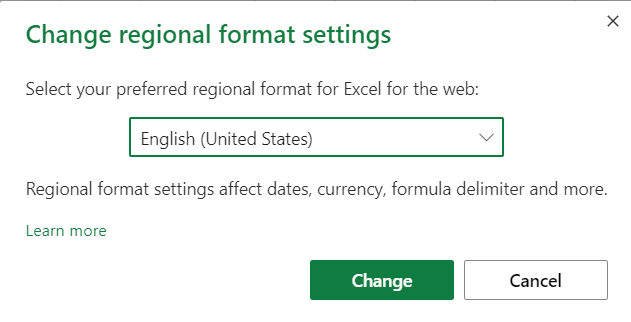
Excel Formatting Excel Format Settings Regional Format Settings Excel offers regional formatting options for various information presentation languages and styles.Numerous factors are impacted by regional environments, including:Calendar date formattingDecimal numbersDefault currency formattingFormula delimitersSymbols called formula delimiters are employed in functions to divide up arguments.The semicolon and comma are the most used symbols;For instance, commas are used in the English regional language setting: =AND([logical1], [logical2], ...) While German regional language settings uses semicolons: =AND([logical1]; [logical2]; ...) Example Regional Format Settings The formula delimiters, date, and decimal number are displayed here with English (US) settings: The formula delimiters, date, and decimal number are displayed here with German settings: You’ll see that the German formatting employs day.month.year for calendar dates, but the English (US) formatting utilizes month/day/year.For the decimal symbol, the English (US) style likewise use a period (. ), while the German formatting employs a comma (,).Note: Any existing values and formulas in your spreadsheet will immediately convert when you change the regional format settings. Changing Regional Format Settings Modifying the Regional Layout The File menu’s options section contains the settings: By clicking on this, a dialog window will appear where you can select your desired regional language settings: