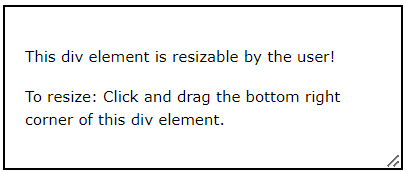
In this chapter you will learn about the following CSS user interface properties:
resize
outline-offset
Browser Support
The initial version of the browser that fully supports the attribute is indicated by the numbers in the table.
CSS Resizing
The resizeproperty indicates whether or not an element may be resized by the user, as well as how.
In the example below, the user can only adjust the <div> element’s width:
Example
					div {
  resize: horizontal;
  overflow: auto;
}
In the example below, the user can only adjust the height of a <div> element:
Example
					div {
  resize: vertical;
  overflow: auto;
}
The user can adjust a <div> element’s height and width by using the following example:
Example
					div {
  resize: both;
  overflow: auto;
}
<textarea> is resizable by default in a lot of browsers. Here, the resize property has been utilized to turn off the resizability:
Example
					textarea {
  resize: none;
}
CSS Outline Offset
An outline and an element’s border or edge are separated by more space thanks to the outline-offset attribute.
Note: borders are not the same as outline! In contrast to border, which is created inside the element’s border, outline may cross over into other content. Furthermore, the width of the outline has no bearing on the element’s overall width or height; it is not a component of the element’s measurements.
The outline-offset attribute is used in the example below to create gap between the outline and border: