
BS Images
Bootstrap Image Shapes
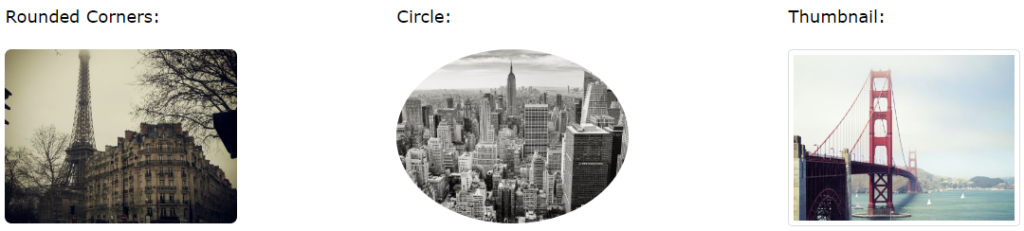
Rounded Corners
The .img-rounded class adds rounded edges to an image (rounded corners are not supported in IE8):
Example
<img decoding="async" src="data:image/svg+xml,%3Csvg%20xmlns='http://www.w3.org/2000/svg'%20viewBox='0%200%200%200'%3E%3C/svg%3E" class="img-rounded" alt="Cinque Terre" title="BS Images 2" data-lazy-src="cinqueterre.jpg"><noscript><img decoding="async" src="cinqueterre.jpg" class="img-rounded" alt="Cinque Terre" title="BS Images 2"></noscript>
Circle
The .img-circler class transforms the picture into a circle (IE8 does not allow rounded corners):
Example
<img decoding="async" src="data:image/svg+xml,%3Csvg%20xmlns='http://www.w3.org/2000/svg'%20viewBox='0%200%200%200'%3E%3C/svg%3E" class="img-circle" alt="Cinque Terre" title="BS Images 3" data-lazy-src="cinqueterre.jpg"><noscript><img decoding="async" src="cinqueterre.jpg" class="img-circle" alt="Cinque Terre" title="BS Images 3"></noscript>
Thumbnail
The .img-thumbnail class transforms the image into a thumbnail:
Example
<img decoding="async" src="data:image/svg+xml,%3Csvg%20xmlns='http://www.w3.org/2000/svg'%20viewBox='0%200%200%200'%3E%3C/svg%3E" class="img-thumbnail" alt="Cinque Terre" title="BS Images 4" data-lazy-src="cinqueterre.jpg"><noscript><img decoding="async" src="cinqueterre.jpg" class="img-thumbnail" alt="Cinque Terre" title="BS Images 4"></noscript>
Responsive Images
Images come in various sizes. The same is true for screens. Responsive images alter automatically to fit the screen size.
To create responsive images, apply the .img-responsive class to the <img> tag. The picture will then scale properly to match the parent element.
The .img-responsive class adds display: block;, max-width: 100%;, and height: auto; to the image.
Example
<img decoding="async" class="img-responsive" src="data:image/svg+xml,%3Csvg%20xmlns='http://www.w3.org/2000/svg'%20viewBox='0%200%200%200'%3E%3C/svg%3E" alt="Chania" title="BS Images 5" data-lazy-src="img_chania.jpg"><noscript><img decoding="async" class="img-responsive" src="img_chania.jpg" alt="Chania" title="BS Images 5"></noscript>
Image Gallery
You can also construct an image gallery by using Bootstrap’s grid system and the .thumbnail class.
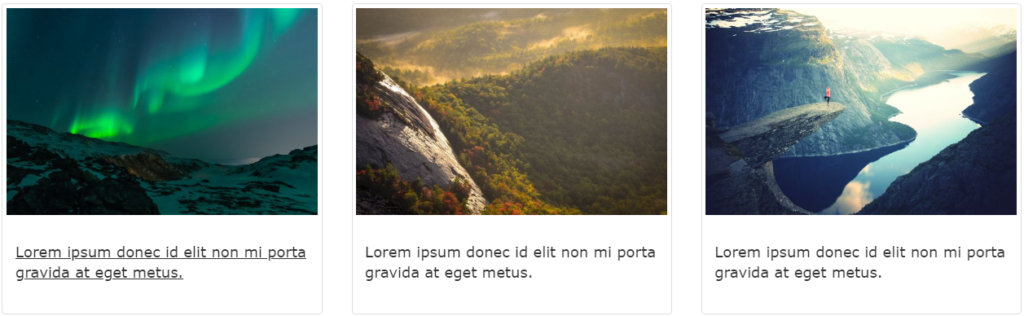
Note: You will learn more about the Grid System later in this tutorial (how to create a layout with different amount of columns).
Example
					<div class="row">
  <div class="col-md-4">
    <div class="thumbnail">
      <a href="/w3images/lights.jpg">
        <img decoding="async" src="data:image/svg+xml,%3Csvg%20xmlns='http://www.w3.org/2000/svg'%20viewBox='0%200%200%200'%3E%3C/svg%3E" alt="Lights" style="width:100%" title="BS Images 7" data-lazy-src="/w3images/lights.jpg"><noscript><img decoding="async" src="/w3images/lights.jpg" alt="Lights" style="width:100%" title="BS Images 7"></noscript>
        <div class="caption">
          <p>Lorem ipsum...</p>
        </div>
      </a>
    </div>
  </div>
  <div class="col-md-4">
    <div class="thumbnail">
      <a href="/w3images/nature.jpg">
        <img decoding="async" src="data:image/svg+xml,%3Csvg%20xmlns='http://www.w3.org/2000/svg'%20viewBox='0%200%200%200'%3E%3C/svg%3E" alt="Nature" style="width:100%" title="BS Images 8" data-lazy-src="/w3images/nature.jpg"><noscript><img decoding="async" src="/w3images/nature.jpg" alt="Nature" style="width:100%" title="BS Images 8"></noscript>
        <div class="caption">
          <p>Lorem ipsum...</p>
        </div>
      </a>
    </div>
  </div>
  <div class="col-md-4">
    <div class="thumbnail">
      <a href="/w3images/fjords.jpg">
        <img decoding="async" src="data:image/svg+xml,%3Csvg%20xmlns='http://www.w3.org/2000/svg'%20viewBox='0%200%200%200'%3E%3C/svg%3E" alt="Fjords" style="width:100%" title="BS Images 9" data-lazy-src="/w3images/fjords.jpg"><noscript><img decoding="async" src="/w3images/fjords.jpg" alt="Fjords" style="width:100%" title="BS Images 9"></noscript>
        <div class="caption">
          <p>Lorem ipsum...</p>
        </div>
      </a>
    </div>
  </div>
</div>
Responsive Embeds
					<div class="embed-responsive embed-responsive-16by9">
  <iframe loading="lazy" class="embed-responsive-item" src="about:blank" data-rocket-lazyload="fitvidscompatible" data-lazy-src="http://..."></iframe><noscript><iframe class="embed-responsive-item" src="..."></iframe></noscript>
</div>

