CSS Advanced

CSS Object-position


<img> and <video> elements can have their container’s positioning specified using the CSS object-position attribute.


The Image

View the 400×300 pixel photograph from Paris that follows:

CSS Object-position -

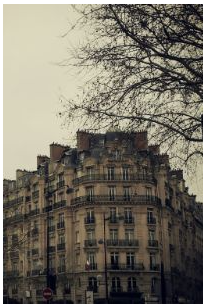
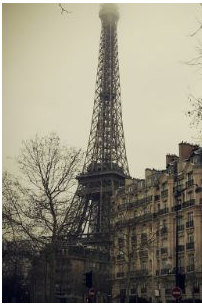
Next, to fill the specified dimension and maintain the aspect ratio, we employ object-fit: cover. Nevertheless, the picture will be cropped to size as follows:

CSS Object-position -

Example

				
					img {
  width: 200px;
  height: 300px;
  object-fit: cover;
}


Using the object-position Property

Let’s imagine that the displayed portion of the image is not in the desired location. We will utilize the object-position attribute to position the image.

Here, we’ll center the large, historic structure by positioning the image using the object-position property:

CSS Object-position -

Example

				
					img {
  width: 200px;
  height: 300px;
  object-fit: cover;
  object-position: 80% 100%;
}


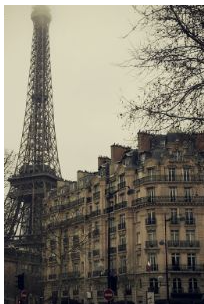
In order to center the iconic Eiffel Tower, we will utilize the object-position property in this instance:

CSS Object-position -

Example

				
					img {
  width: 200px;
  height: 300px;
  object-fit: cover;
  object-position: 15% 100%;
}


CSS Object-* Properties

The following table lists the CSS object-* properties:

Property Description
object-fit Specifies how an <img> or <video> should be resized to fit its container
object-position Specifies how an <img> or <video> should be positioned with x/y coordinates inside its "own content box"
Share this Doc

CSS Object-position

Or copy link

Explore Topic