As we’ve already covered, learning Dart is simple if you have any experience with Java, C++, JavaScript, etc. A fundamental understanding of the programming language’s syntax can be gained from the most basic “Hello World” program. It is a method of testing the workspace and system. We will cover the essentials of Dart’s syntax in this course. The first program can be performed in a few different ways, as listed below:
Using Command Line
Running on Browser
Using IDE
It must confirm that the Dart SDK has been installed correctly before launching the first program. In our last tutorial, we covered the entire installation method. Let’s execute our initial program.
Using Command Line
Step – 1:
If you type dart into the terminal and it displays “dart runtime,” your installation of Dart was successful.
Step – 2:
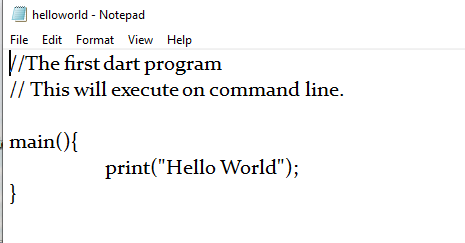
Launch a text editor, then add a “helloword.dart” file to it. The file extension.dart should be used, as it indicates that the file is a Dart program.
main(): The function that signifies that our program has begun is called main(). The point at which the program begins to run is a crucial function.
print() – TheTo see the output on the console, use this function. It bears similarities to all languages, including C and JavaScript. It is essential to utilize semicolons and curly brackets correctly.
Step – 3:
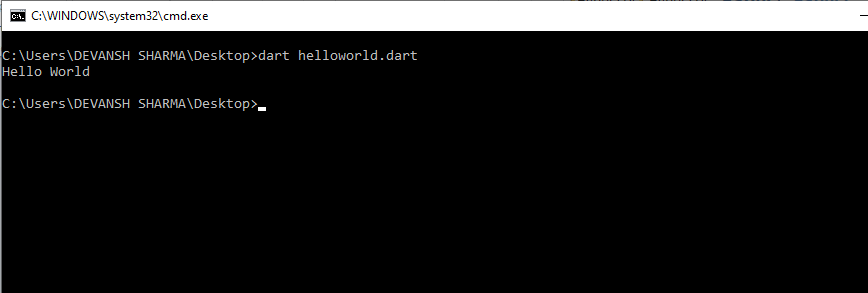
Launch the command line and execute the program. Typing dart helloworld.dart will launch the Dart application. The screen will display Hello World.
Running on Browser
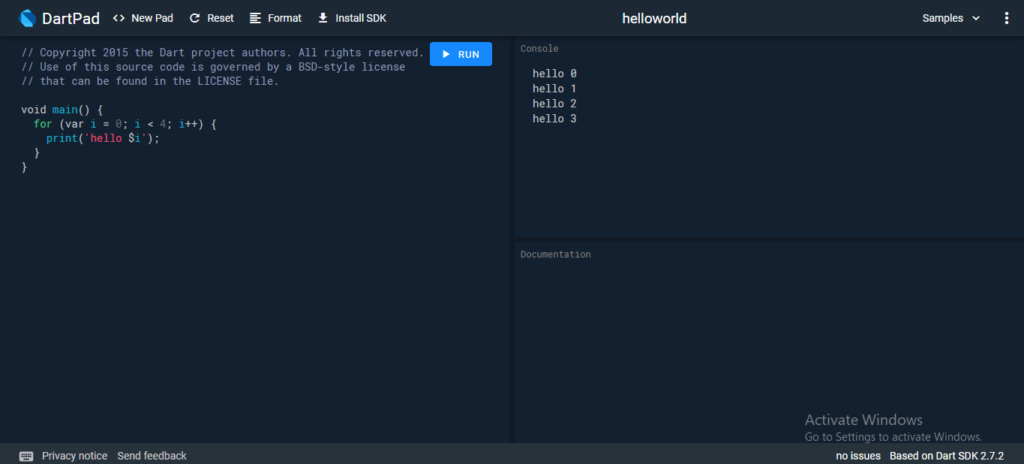
DartPad, an online editor, is offered by Dart and may be accessed at https://dartpad.dartlang.org/. The code can be written on the left, and the result appears on the right side of the screen. With the Dart Code, we can incorporate HTML and CSS. Additionally, Dart offers some learnable example applications. Let’s examine the subsequent picture.
Using IDE
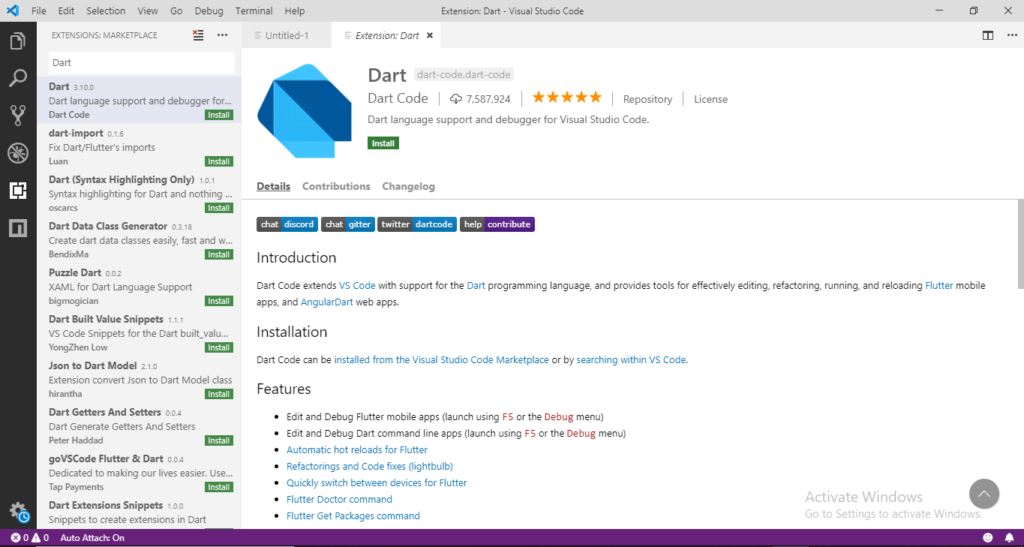
Dart is supported by a number of IDEs, including Visual Studio Code, WebStorm, IntelliJ, etc. Download the dart extension and run the code to access the Visual Studio code.
It is advised to use the IDE or command line to execute the Dart code.