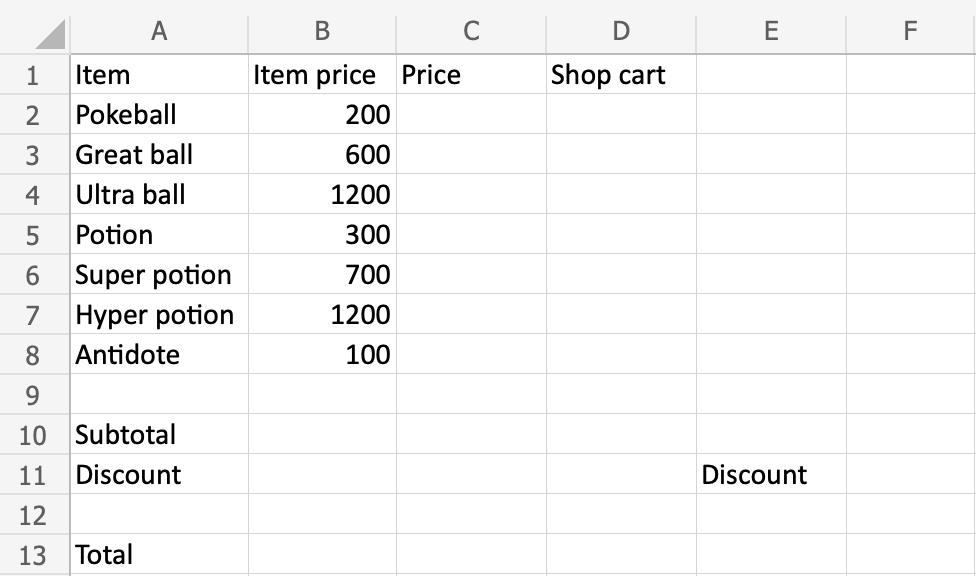
In this instance, we assist the Poke Mart vendor in generating a shop cart summary that includes the prices, discount, and total cost. The abilities you have learnt in the previous chapters will be put into practice.
Copy the values below, or enter them in:
To solve the case we need to complete the following:
Prices for items (C2:C8)
Sub total (B10)
Add discount (B11)
Total price (B13)
Are you ready?
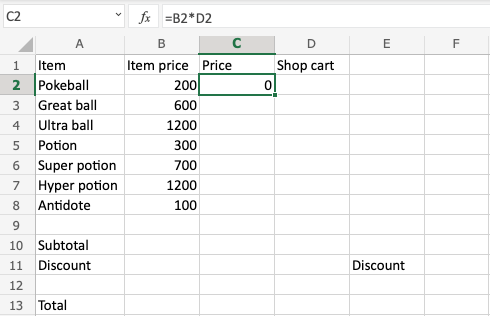
Make the first iteration of the item price*shop cart formula first. When we adjust an item in the Shop cart, we want the price to adjust as well. To save time, use the fill function on the D2:D8range afterward.
Step by step:
Select C2, type (=)
Select B2
Type (*)
Select D2
Hit enter
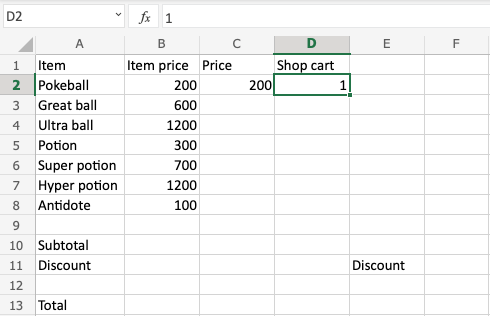
Test the formula by Typing D2(1):
C2(200)did you get it? That is the same as what one Pokeball costs! Well done!
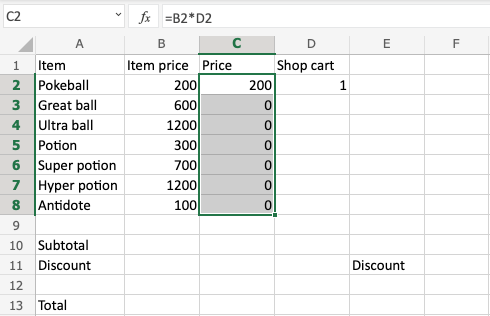
For C2:C8, we require the same formula; let’s fill it downward!
Relative references are required in order for the fill function to carry out the formula into the subsequent rows.
Fill D2:D8 to double check the prices:
That looks right!
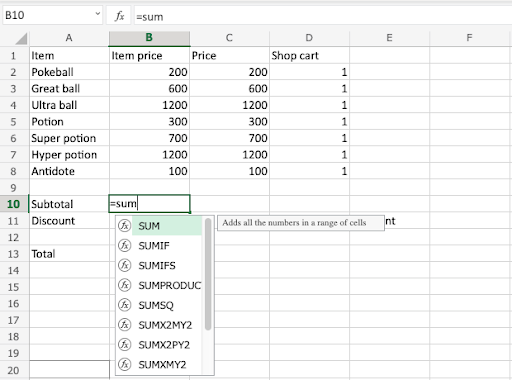
Let us find the subtotal by using the SUM function on the C2:C8 range.
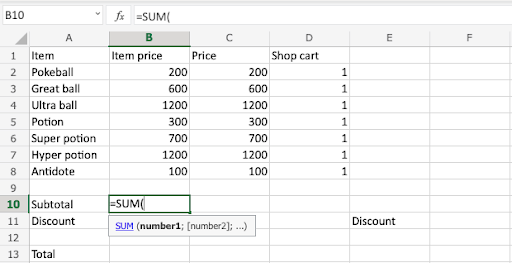
Type B10(=SUM)
Double click the SUMfunction
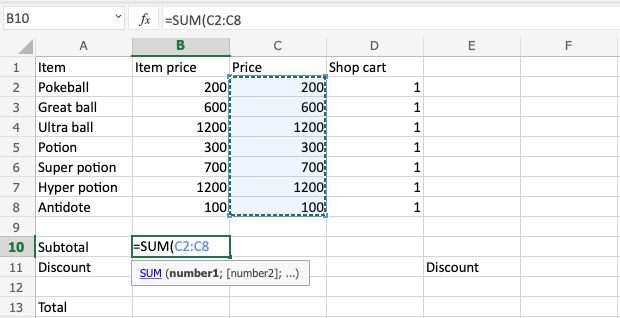
Mark the range C2:C8
Hit enter
Excellent work! You’ve used the SUMfunction to calculate the subtotal successfully.
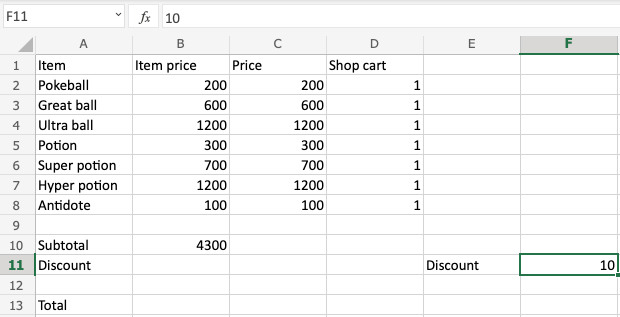
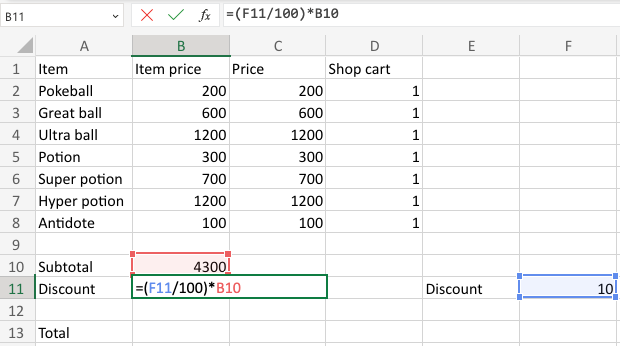
Let’s apply a 10% discount after that. F11(10) in type:
Apply the discount to the subtotal:
Select B11, type (=)
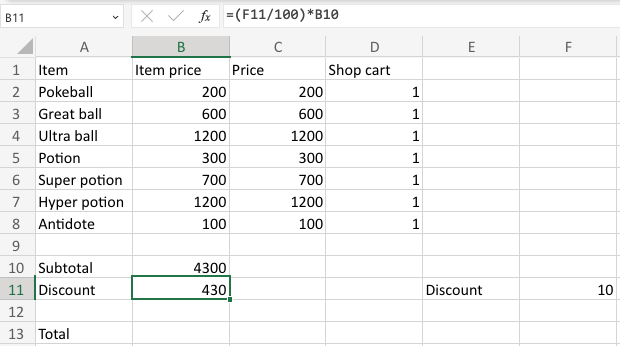
Type (F11/100)*B10
Hit enter
Note: The (F11/100) was used to change the value 10to 0.1, which is 10%.
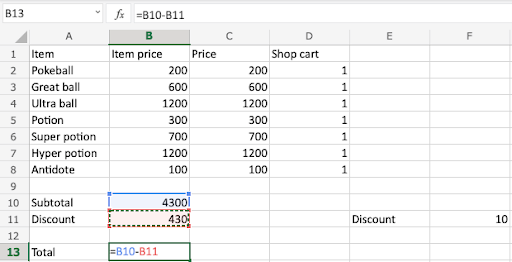
Subtract the discount B11 from the subtotal B10to calculate the total.
Select B13 type (=)
Select the minuend B10
Type (–)
Select the subtrahend B11
Hit enter
That’s fantastic!
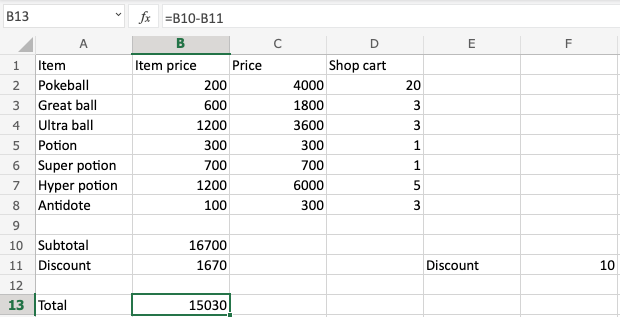
You’ve finished all of the merchant’s tasks for Poke Mart.
The costs of the goods
The prices are determined by multiplying the item price by the store cart in range C2:D8.
Subtotal
The range C2:C8 is added by the SUMfunction.
Include a discount
To calculate the discount, enter F11(10) into the B11 formula.
Total cost
The subtotal is subtracted from the discount to determine the final price.
To observe how the calculations change, try altering the quantities in the shop cart and discount!